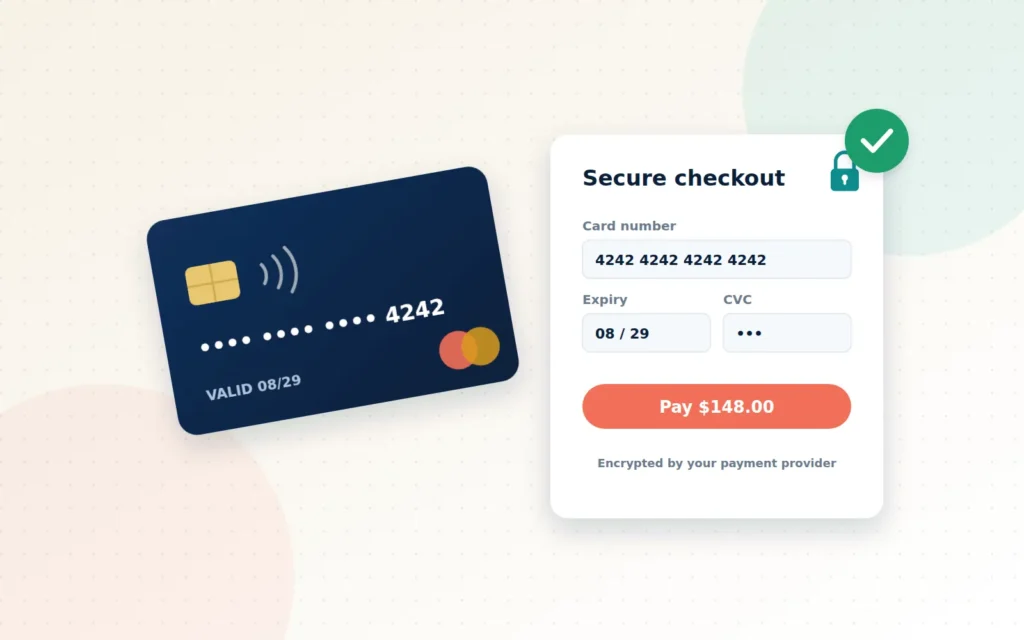
Picture the moment. A customer has found what they want, read the reviews, picked the size and clicked “Checkout”. They are one step away from paying you. And then the payment page loads slowly, looks unfamiliar, asks for the same details twice, or declines their card with a vague error.
They hesitate. They open another tab “just to check something”. The sale is gone.
Payments are the most fragile moment in any online sale, for consumers and business buyers alike. Get them right and nobody notices, which is exactly the point. Get them wrong and you lose revenue, waste staff time chasing confirmations, and, at worst, put your customers’ data and your reputation at risk. This guide explains how online payments actually work and what a smooth, secure setup looks like.
Key takeaways
- A payment gateway securely passes card details between your checkout, the card networks and your bank.
- Using a PCI-compliant, hosted payment provider keeps card data off your server and shrinks your risk.
- Offer the payment methods your customers already trust, including bank transfer for business buyers.
- Automatic confirmations and reconciliation save hours of manual checking every week.
How an online card payment really works
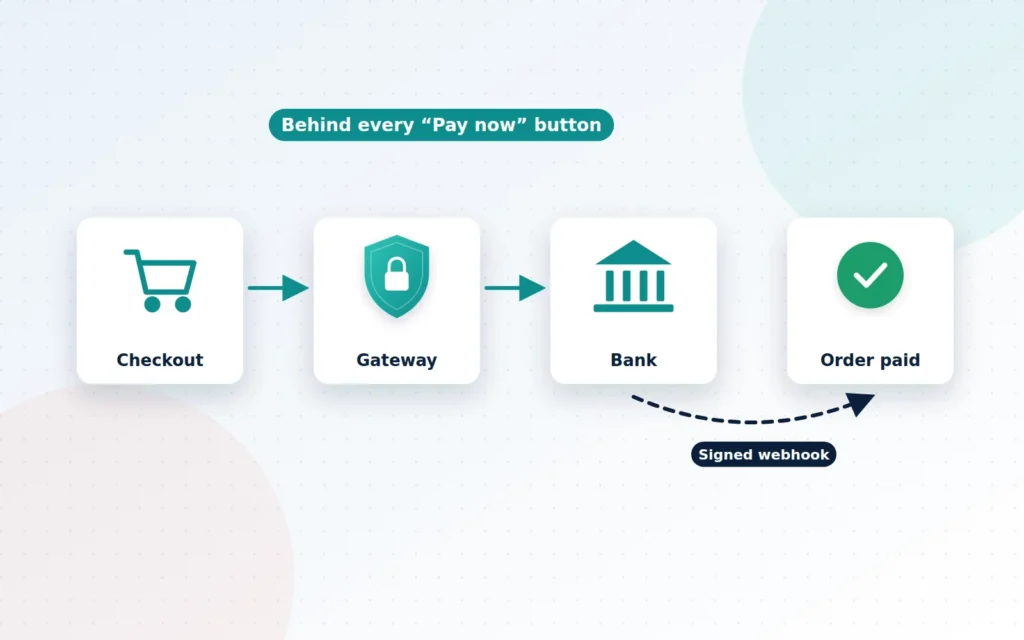
When a customer clicks “Pay now”, a lot happens in a few seconds:
- Your checkout collects the order and hands the payment over to your gateway.
- The payment gateway encrypts the card details and sends them for authorisation.
- The card network and the customer’s bank check the funds and run fraud checks, then approve or decline.
- The gateway tells your store the result, ideally through a secure, signed message called a webhook.
- Your store marks the order as paid, emails a receipt and notifies your team.
Later, the money settles into your business bank account, minus processing fees. Every step needs to be configured correctly. A missing webhook, for example, can leave paid orders sitting as “pending” while your customer wonders why nobody is responding.
The jargon, decoded
A few terms come up again and again. Here is what they mean in plain English.
- Merchant account: the account that allows your business to accept card payments. It comes from a payment provider or your bank.
- Payment gateway: the technology that connects your website to the payment networks. Think of it as a secure card terminal for your website.
- Hosted or embedded payment fields: card entry boxes supplied by the gateway, so card numbers go straight to the provider instead of through your website.
- PCI DSS: the Payment Card Industry Data Security Standard, the security rules every business that accepts cards must follow.
- Settlement: when the money actually arrives in your bank account.
- Chargeback: when a customer disputes a payment with their bank, which can reverse the funds.
Security is not optional, but it can be simple
The safest card data is the data you never hold. When your checkout uses hosted or embedded fields from a PCI-compliant gateway, card numbers never touch your web server or database. That dramatically reduces your exposure and the compliance work that comes with it.
Standards are also tightening around the payment page itself. Version 4 of PCI DSS includes requirements, in force since 31 March 2025, for e-commerce merchants to keep track of and authorise the scripts that run on payment pages and to detect unauthorised changes to them. That is a direct response to “skimming” attacks, where malicious code is slipped into a checkout to copy card details. A well-built checkout keeps third-party scripts on payment pages to a minimum and monitors what is allowed to load there.
You do not need to become a security expert. You do need a partner who builds with these rules in mind from the start.
Give customers the ways they like to pay
The best payment setup is one your customers recognise instantly. For most stores that means:
- Visa and Mastercard through a trusted gateway, with clear logos and a familiar layout.
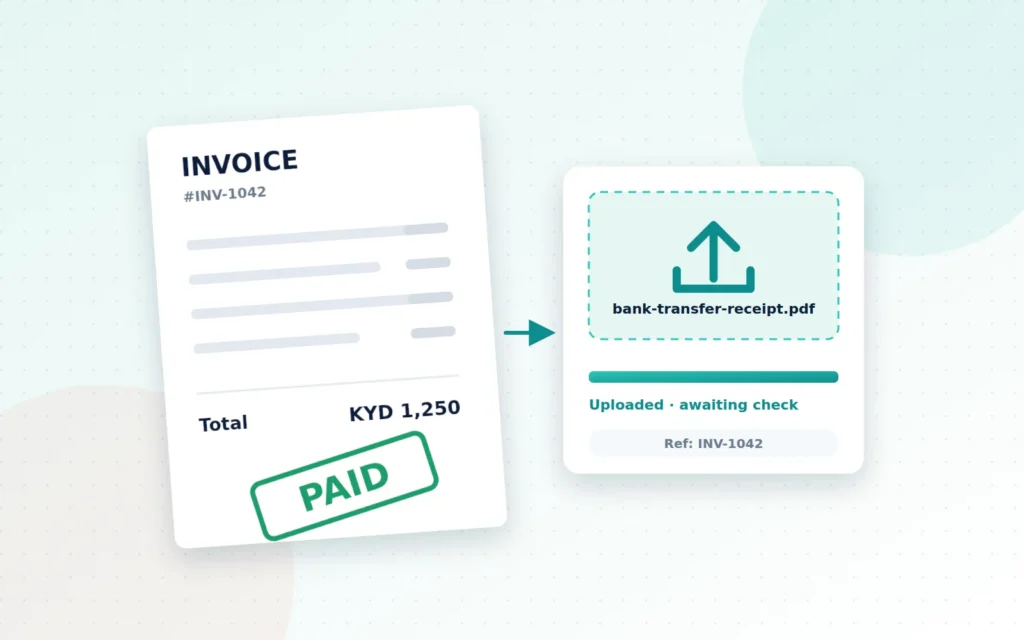
- Bank transfer, which remains common for larger orders and business-to-business purchases. It works best with clear instructions, a unique payment reference and a simple way for customers to upload proof of payment.
- Deposits and part-payments for custom work, large orders or services, so customers can commit without paying everything upfront.
- Clear currency handling, especially for Cayman businesses selling in both KYD and USD.
For trade customers, consider account terms and invoices as well. A business buyer who can pay on terms with a purchase order is far more likely to reorder.
Hidden costs of a poor payment setup
Payment problems rarely appear on an invoice, but they cost real money:
- Abandoned checkouts when the payment step feels slow, clunky or untrustworthy.
- Staff hours spent matching bank statements to orders by hand.
- Delayed fulfilment because nobody is sure whether an order has actually been paid.
- Refund headaches when partial refunds or cancellations are not supported cleanly.
- Chargebacks and fraud when there are no sensible screening rules in place.
Automating confirmations, receipts and reconciliation exports turns a weekly headache into a background process.
Five quick wins for a smoother checkout
Even before a full payment project, a few small changes can make a noticeable difference:
- Show the full price early. Display delivery costs and any fees in the cart, not as a surprise on the final screen.
- Offer guest checkout. Forcing shoppers to create an account before paying is one of the most common reasons they give up. Invite them to save their details after the order instead.
- Display familiar payment logos. Recognisable card brands and a clear padlock near the payment button reassure first-time buyers.
- Write helpful error messages. “Your card was declined: please check the expiry date or try another card” keeps a customer going; “Error 402” sends them away.
- Confirm instantly. A clear on-screen confirmation and an immediate email receipt end the sale with confidence and cut “did my payment go through?” messages to zero.
Payments for business customers
Business buyers often have different expectations from consumers. They may need to pay against an invoice, add a purchase order number, split payment between a deposit and a balance, or pay by bank transfer from a company account that requires internal approval. Building these options into your store, rather than handling them by email, makes you easier to buy from and speeds up how quickly you get paid. Clear, automatically generated invoices and receipts also make life easier for their accounts team, which is a quiet but powerful reason for them to keep ordering from you.
Choosing a payment provider
There is no single best gateway. When comparing options, look at:
- Which cards and currencies are supported, and how quickly funds settle.
- Transaction fees, monthly fees and any setup costs.
- How well the provider integrates with your platform, such as WooCommerce.
- Fraud tools, refund handling and the quality of reporting.
- Local support and approval requirements for Cayman-based businesses.
We work with providers such as Fygaro, local bank merchant services and established WooCommerce payment plugins, and we can help you compare them against your volumes and needs.
What working with Cayman Ecommerce looks like
Payment projects are usually quick, often one to two weeks once your merchant account is approved. We start by understanding how your customers pay today and how you would like them to pay. We then help you choose and apply for the right provider, configure the gateway on your store, set up secure webhooks so orders update instantly, and add bank transfer workflows with proof-of-payment upload where needed. Finally, we run a full set of test transactions, including refunds and failed payments, and hand you a test report so you know everything works before real customers arrive.
Here is what we will need from you to get started.
The bottom line
Customers judge your whole business by how it feels to pay you. A fast, familiar and secure payment experience removes the last obstacle between interest and income, and it gives your team back the hours they currently spend chasing confirmations.
If your checkout is costing you sales, or you are ready to accept payments online for the first time, let us help you get it right from day one.
Frequently asked questions
Do I need a merchant account to accept cards online?
Yes. You need an approved account with a payment provider, either a payment platform such as Fygaro or merchant services from your bank. We can help you compare options and prepare your application, then connect the account to your website.
Is it safe to take card payments on my own website?
It is when the card details are handled by a PCI-compliant gateway rather than your own server. We use hosted or embedded payment fields from your provider, so sensitive card data never touches your website's database.
Can customers still pay by bank transfer?
Absolutely. We set up bank transfer as a payment option with clear instructions, and can add a secure way for customers to upload proof of payment so your team can confirm it quickly.
Ready when you are
Let’s talk about your Payment Processing
Secure card and bank payments, wired correctly from day one.